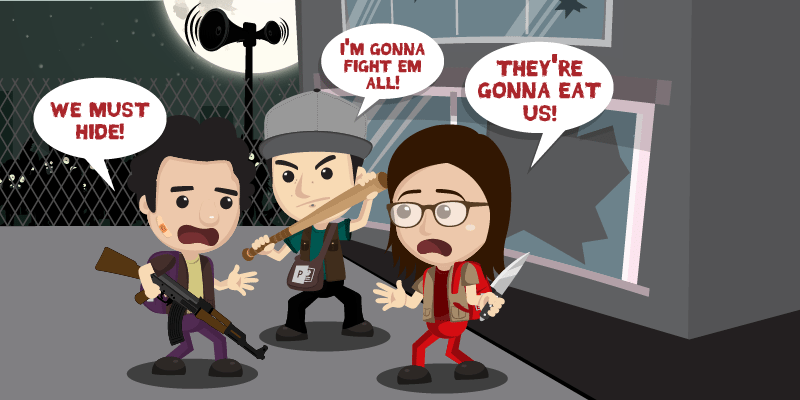
One pitch deck presentation gone bad can cost more than you think, according to this Think Outside The Slide article: almost as much as $250 million because of wasted resources and manpower.
Aside from the time invested by the audience, your sales, company decision-making, and even reputation are affected by your pitch’s impact.
Create a deck that will maximize your time and save you the effort and money.
Find out how to avoid an ineffective pitch deck with these three tips:
1. Set a Goal
Knowing what you want to achieve is important in planning out how you’re going to get there.
Is it to move the audience to action? Is it to make a sale? Or is it simply to deliver information?
Not having an objective for your pitch can lead to a cluttered slide deck and disorganized speech.
To avoid this, you need to choose from these goals for your pitch.
Once you’re sure of what you want, enumerate the steps to achieving this goal.
Create an outline that lists down your course of action. Will you quote your latest sales figures? Will you highlight your product’s benefits? Doing so can also serve as your guide in creating more palatable content.
Craft a winning deck by determining what type of response you want to elicit from your listeners.
2. Simplify Your Points
Abstract ideas can be difficult to process, especially if they come in bulk.
Information overload, like spreadsheets overflowing with statistical data, can affect how much of your pitch deck the audience will recall once you’re finished.
Remember that your listeners don’t know your pitch as well as you do, so keep things simple.
Break down your ideas into key points so you can focus on discussing as you go along. These can include going straight to how much clients could save or earn if they approve your proposal, or the superior benefits of your product over the competition.
You also need to make sure that this is reflected in your slides to make it clearer and more concise.
Stick to one major topic per slide, but don’t give it to the audience as it is.
Explore a number of ways to creatively present difficult data, or to show your key points as a single text or image per slide for easier retention.
3. Engage the Audience
The downfall of many pitch decks, particularly sales pitches, is lack of audience engagement.
According to a 2015 study by Microsoft Canada, people’s attention spans have dropped to an average of eight seconds, writes Leon Watson of The Telegraph. But presenters seem to forget to consider this.
Either they go beyond their intended time limit, or they saturate their slides with too much information for the audience to handle.
Engage the audience by treating your pitch deck only as a visual aid, rather than a replacement for your actual presence.
Interact with your listeners using expansive hand gestures and maximizing your physical space. Exude confidence and inspire trust in your body language.
Use social psychologist Amy Cuddy’s suggestion about applying a power pose to display self-assurance and certainty in your pitch.
People are more likely to listen to someone who knows what he’s doing, rather than someone who sounds unsure of his topic.
Conclusion
You can save the time, money, and further effort with one perfect pitch, so why not aim for that?
Set a goal for your current pitch, and know what you want to achieve to guide you in reaching it.
Break down complex ideas into easily understandable ones by selecting key points instead of whole paragraphs.
Engage the audience by stepping away from your pitch deck and interacting with them through your body language and your speech.
The price of pitch deck shouldn’t be too high. If you find yourself in need of some expert help, contact our pitchdeck.com professionals today for a free quote!
References
Blodget, Henry. “This Simple ‘Power Pose’ Can Change Your Life And Career.” Business Insider. May 3, 2013. Accessed December 21, 2015. www.businessinsider.com/power-pose-2013-5
Watson, Leon. “Humans Have Shorter Attention Span than Goldfish, Thanks to Smartphones.” The Telegraph. Accessed December 21, 2015. www.telegraph.co.uk/news/science/science-news/11607315/Humans-have-shorter-attention-span-than-goldfish-thanks-to-smartphones.html
“What is the REAL Cost of Poor Presentations?.” Think Outside the Slide. Accessed December 21, 2015. www.thinkoutsidetheslide.com/what-is-the-real-cost-of-poor-presentations
Your Q&A with the audience is the best way for you to get feedback.
Being offered feedback makes your pitch more engaging and helps your prospects get clarification from points you’ve made.
Receiving feedback from your audience gives you insights on how you can make better pitches in the future.
You won’t be able to cover every detail during your business pitch, so it’s important to always anticipate questions beforehand.
Question #1
What do you do?
The beginning of your slide should be an introduction that contains your contact details and a brief primer to your company.
But this kind of information isn’t enough for the audience to know what your business is all about.
Your deck should cover every possible aspect of the purpose, service, and benefit that you provide while avoiding delays caused by an overly detailed discussion.
If you have to re-explain your introduction towards the end of your business pitch, don’t assume that the audience just didn’t pay enough attention.
This type of question could either mean that you didn’t spend enough time to explain your purpose, or that your audience simply wants to know more details.
Question #2
What’s your product?
This question could be phrased in several ways: how this product benefits your prospects, how useful it is, and if it’s worth the investment. In other words, why should we choose you?
You should be able to say yes to all the questions and provide concrete reasons to support your claims.
Going over this type of question is good since this means that your audience is curious about your product.
This is a way for you to slowly build up their trust. Knowing your product well adds to your credibility.
Seal the deal by convincing your prospects that the product is worth their time and resources.
Question #3
How long does it take?
This asks for specificity. It shows that the audience is thinking, How soon will I start seeing results?
Provide a financial projection that gives a realistic assessment of your project.
Tell them when they can expect to see results and only promise what you can deliver on time on a realistic budget.
Scott Gerber, entrepreneur and angel investor, learned the hard way from being rejected by investors for his company.
One of the most important lessons he learned was that VC’s that have seen it all can gauge the feasibility of your plans, so be realistic and avoid aiming for a multimillion investment without the experience to back it up.
You’ll know how eager your audience is when you hear them ask about your project timetable.
Being asked this at the end of your pitch usually means you’ve generated enough interest that’ll soon translate to sales.
Final Thoughts
Keep your answers short and concise since you’re towards the end of your pitch.
Shorter answers are easier to remember and will help end your pitch on time.
The responses you receive will help you gauge your own persuasiveness as a speaker.
So don’t be content with a silent response, get the ball going by answering some of these questions by reiterating your main points.
The success of your pitch depends on how well you respond to these FAQ’s.
Don’t let the simplicity of these questions fool you, prepare how to answer them beforehand.
References
Gerber, Scott. “6 Steps to the Perfect Pitch.” Entrepreneur. May 21, 2009. Accessed January 5, 2016. www.entrepreneur.com/article/201826 Pivovarov, Artur. “Presentation Skills. Unit 8: Dealing with Questions.” SlideShare. May 1, 2012. Accessed November 4, 2015. www.slideshare.net/ArturPivovarov/unit-8-12763217
You might have experienced times when you used minimal content in your pitch decks. Has use of the minimalist concept sometimes led to bare and boring slides?
If so, you may have to reevaluate your pitch deck design choices, but not by doing away with minimalism. Rather, improve your deck to utilize this technique more.
While users could blame the seemingly poor appearance on PowerPoint, using minimal content and taking a minimalist approach are two different things.
Done correctly, the latter uses the important facts your clients need to know, as opposed to the former, which puts in only a few details.
This allows your deck to make an impact due to three important factors.
1. White Space
In his article citing renowned neuroscientist Daniel J. Levitin’s The Organized Mind on The Orange County Register, Mark Landsbaum discusses the effects of taking in too much info at once.
These effects include unproductivity and loss of motivation, and the same effects may apply to information overload on the slide.
Because there’s too much content to process, a pitch deck with text-heavy content makes people lose interest in your pitch faster.
People can only give their full attention to one thing at a time. If you want them to retain anything from your pitch, focus on showing your most important facts. Minimalists make use of white space in their design. This draws attention to important text and images on the screen.
Eliminating unnecessary elements from your deck reduces the strain on a reader’s eyes. It also lets them process key points faster. The next time you want to fill your slide with blocks of text, ask yourself if you can cut it down to leave space for rest.
2. Content Placement
You won’t be able to call people’s attention to your core message if they’re placed inconspicuously on your pitch deck. This is where most presenters abuse the minimalist method. They believe that throwing content on a bare space will make it look more appealing.
However, minimalism is all about strategic placement. Spark people’s interest by putting the right element at the right place. Put headlines at the center where they could easily be seen. When using captions with an image, and you want readers to notice them immediately, try putting them near the middle as well.
Less important slide content like sub-headings and minor information should take up less space. So try placing them below or beside the core content.
3. Appropriate Colors
People react to certain colors in different ways. If you want to draw attention and exude positivity, warm colors like red and yellow can suit your needs. On the other hand, cool colors like blue and green relax the eyes.
Like saturating your slide deck with images, adding too many colors can be distracting and uninviting. Knowing the appropriate color scheme for your pitch deck is already an advantage on your part.
Tom Osborne of Viget.com recommends applying other color principles like contrast, to highlight aspects like talking points. Choose complementary colors, and apply one as a backdrop to the other for emphasizing. This doesn’t just apply to solid colors. Use these color principles on your text and images to achieve a visually-appealing design, and make your deck easier to look at.
The Takeaway
There’s no room for a cluttered slide deck in a professional pitch. Using a minimalist approach to pitch deck design can make your deck layout easier to look at, and help attract prospects.
To do this, consider using white space to relax people’s eyes, and help them focus on your key points. Then place your content strategically to draw attention to important text or images on screen.
Utilize the appropriate colors to bring out the best parts of your deck. To make the minimalist approach work on your deck, use these design tips to impress your clients.
To keep everything balanced, contact a pitch deck guru for a free quote!
References
“Color Contrast for Better Readability.” Viget Blogs. Accessed November 25, 2015. https://viget.com/inspire/color-contrast “Perils of Processing Too Much Information.” The Orange County Register. Accessed November 25, 2015. www.ocregister.com/articles/day-659344-climate-time.html
Featured Image: “twist” by Thomas Leth-Olsen on Flickr.com
Saying sorry has its pros and cons: it can win audience’s sympathy or lose your credibility.
While there are unexpected events that may occur when giving your sales pitch, knowing the right time to say sorry makes a difference.
Why Apologize?
Apologizing isn’t a bad thing. In fact, people who acknowledge their mistakes are seen humble and down-to-earth.
When things didn’t happen the way you planned it, apologizing may be your last resort to keep your clients interested in your pitch.
However, it doesn’t apply in some occasions. Apologizing may stem from two reasons: you want to show your sincerity or you feel humiliated and you need to say sorry.
Either which, you need to know how it can affect you positively and negatively.
Just like crafting your pitch deck, all the elements required for your subject goes through intensive planning to effectively get your message across on the big day.
When to Say Sorry
Addressing the crowd’s question – “What’s in it for me?” – is one of the goals which prevent you from disappointing them and wasting their time.
Failing to meet their expectations may result in a huge problem, thus putting your credibility at stake.
However, instances such as microphone malfunction, your laptop crashes, and outside noises are examples of technical difficulties that may arise at a time that you least expect it.
Avoid this beforehand by familiarizing yourself with the venue and having backup plans that can help you survive.
Apologizing can put your clients at ease and make them feel that you care about them.
Handle it Wisely
Facing the consequences due to lack of preparation is key to learning from your mistakes.
Adjusting to the situation allows you to manage your response and focus on your objective – to encourage clients to take action.
When your original plan didn’t work out, go to plan b. Remember that your audience has no idea about your pitch deck outline.
You can still save your performance by changing your mindset and avoiding negativity.
Nobody wants to be in an awkward pitch. So when inevitable circumstances happen, apologize gracefully, then proceed to your pitch.
Conclusion
Only you get to decide for yourself if you’ll be apologizing or not.
All you need to do is be truthful to your audience and confident in delivering your message.
Preparation is vital to achieving your client’s expectations and satisfying their needs.
You may have found qualified prospects to listen to your pitch, but it’s not enough to gather sales.
Letting them see that you’re professional and credible convinces them to purchase your product offering.
Keep their interests in mind and convince them to understand your pitch.
This way, you won’t only win them over, you’ll also make them want to go back and listen.
When you feel like apologizing to your clients, keep this in mind: just keep going.
Back up your skills with a well-designed pitch deck presentation by letting our team to assist and offer you a free quote!
References
Dlugan, Andrew. “Should a Speaker Apologize to the Audience?” Six Minutes, February 1, 2008. Accessed November 2, 2015. http://sixminutes.dlugan.com/audience-apology-public-speaking
Featured Image: “apologize” by Jason Taellious on flickr.com
The number of slides in your presentation depends on two things: your audience and the type of presentation you’re delivering. For sales pitches, there are some things you need to keep standard, like your company background, what you’re selling, etc.
Want to know the information you need for your slide deck? We’ve taken advice from renowned entrepreneur Guy Kawasaki and listed down the most important slide content of a sales pitch.
Company Background
Before anything else, let your audience know who you are. Prospects will be less likely to listen or invest in you if you don’t provide your background information. Give them an overview of your job description, and company. This should include its name and a brief of its history.
This part of your pitch doesn’t have to be lengthy at all. It shouldn’t take more than one introductory slide. Use this as an opportunity to squeeze in your company contact details. Your goal is for potential customers to call you up after your pitch.
Value Proposition
Once you’ve gotten introductions out of the way, it’s time to go into your business plan. Describe the problem or opportunity and present your product as its solution. Don’t be vague about your descriptions. Discuss how your product solves the problem and highlight what sets you apart from others who offer similar services. Avoid wordy slides and lengthy speeches too. Diagrams and flowcharts will drive home your point faster. Also, take this as an opportunity to present a demo or a sample to give them an idea of what they’ll invest in.
People don’t just want to hear about how good you are. They want to see how effective your offer really is. Showing them your product at work can convince them of what you’re capable of doing.
Financial Projections and Current Status
While you’ll want to impress investors during your pitch, you should also stay factual and realistic. Run your audience through a feasible timeline of your project. Build up your journey from your current status to what you hope to accomplish, both in the long-term and the short-term. Prepare a financial forecast, possibly for the next three to five years. Include an outlook of what the near future looks like for other key metrics as well. Tell people how far you are in your timeline. Some updates you can include are how much funds you have and how you plan to allocate them to achieve your objectives.
Once you have this information, explain the actions you’re taking to fulfill your forecast. Enumerate your present accomplishments, and expound on how they contribute to your business goals.
Assuring your listeners that you’re on your way increases the likelihood of them investing in you.
Seal the Deal
Your pitch deck’s content should reflect all the key points to discuss with your audience. An introductory slide establishes who you are and where you stand. After establishing rapport, explain your product or service to people. Without being too technical, describe its value and how it differs from any competitors. Have diagrams and flowcharts replace complex data. If available, give a demo or a sample to concretize your point. Give a three-to-five-year forecast of your product’s progress, and keep the audience on track of where you currently are in your timeline. Cover all these points, to give investors a better perspective of your business.
Once you’re done fleshing out your presentation content, it’s time to figure out your design. Consult with our pitchdeck.com experts today for a free quote!
References:
Kawasaki, Guy. “The Only 10 Slides You Need in Your Pitch.” Guy Kawasaki. March 5, 2015. www.guykawasaki.com/the-only-10-slides-you-need-in-your-pitch Markowitz, Eric. “7 Deadly Sins of Sales Pitching.” Inc. April 18, 2011.www.inc.com/ss/7-deadly-sins-sales-pitching Okyle, Carly. “The Only 10 Slides Needed When Pitching Your Business (Infographic).” Entrepreneur. March 18 2015. www.entrepreneur.com/article/244098 “Key Performance Indicators.” Klipfolio. n.d. www.klipfolio.com/resources/kpi-examples
As we’ve seen in stories, zombies are drawn to loud noises. This lets them swarm you and prevent you from reaching whatever goal you have set. Applying this in our line of work as presenters, there’s no better way to infect the audience with zombie-like expressions than letting noise interfere with your own pitch.
It’s impossible to get your message across if the crowd can’t hear you properly, but this isn’t limited to sounds that your audience can hear. Noise can also come in the form of unnecessary interruptions that get in the way of your business pitch. Technical glitches, distracting colors, inappropriate pictures, unreadable fonts, even a malfunctioning air conditioner can all count as noise.
Simply put, anything that makes your listeners uncomfortable is a potential hazard. These can prevent you from convincing them to invest in your proposal, which means lost partners and potential profits. Fortunately, there are two types of noise and three ways to immunize your clients from it.
In a post written on Public Speaking Tips, professional speaker and author, Lenny Laskowski, states that noise comes in two forms: external and internal.
External Noise
The first type may come from your surroundings, disrupting effective communication with your listeners. An unsilenced phone going off, a tall person blocking the view of another behind him, or an unexpected update notification flashing in the middle of your pitch can get in the way of delivering a successful performance.
Parts of your audio-visual aid might even unintentionally distract your audience. For example, if the speaker volume isn’t high enough, any narration that might be embedded won’t be heard. The same thing applies to your visuals if the screen is too bright or too dark.
Using colors can also be a distraction. If the setting or topic requires formality, using bright colors isn’t ideal to complement a formal pitch. The same goes for times when you need to put on an energetic personality and fire up your audience but end up using dark colors in your slides.
The venue itself is also a factor. If it’s too hot, too dark, or uncomfortable because there aren’t enough seats, people may have trouble listening to you. That’s why you should always check out the area beforehand.
Internal Noise
The second type, internal distractions, are worse because these come from within and may include your own negative thoughts and feelings.
You might be emotionally distracted by being too enthusiastic or possibly tired, which can affect the energy you have for your pitch. A lack of energy or sounding too serious can give the impression that you just want to get your speech over with. It may be fine to sound enthusiastic, but too much of it, like in an investor’s pitch, might make you sound too biased if you make promises without backing them up with hard facts. Alternatively, if you become too serious in an event that needs a more casual and friendly setting, this can send the wrong impression to your clients and infect them with that same lack of interest.
On the other hand, the audience might also be biased or have misgivings about your topic, especially if you present any new unproven products that have yet to enter the market. While skepticism may be unavoidable, you need to prepare for possible contrasting opinions during your Q&A section if you have one.
Here are three things to consider when combatting both types of noise to safeguard your pitch’s success:
1. Detect the Source of Noise
Damon Verial, a professional writer and contributor for various Web sites, including eHow, tackles the importance of finding the source of noise. He explains that depending on the importance of the situation, noise should be eliminated through various means.
Careful preparation is what helps you avoid unwanted interruptions, but despite your best efforts, some unexpected circumstances are still hard to prepare for. For example, your laptop might randomly shut off, or your slides could suddenly freeze while presenting. In times like these, you need to have backup devices that have copies of your pitch deck, if possible, so you can pick up where you left off immediately.
Before striking back, identify the root of the problem to find an immediate solution. Was it lack of preparation that disgruntled you? Or was it a problem with the venue that disturbed your pitch? The former can be taken as a lesson for what to prepare for next time. The latter can be resolved with some help. In this case, ask for the organizer’s help to take control of the situation and minimize any disruptions.
For technical problems, politely ask the coordinator to help you fix any issues so you can continue your pitch. This will help you handle the situation and put everything in place. Lighting problems, sound systems, microphones, and even power cables are things that they should be ready for.
2. Sharpen Your Listening Skills
Your job isn’t limited to speaking; listening is also vital to dealing with your audience. With the end goal of delivering a message, improving your listening skills is an essential part of the process. You need to know what concerns your clients will have when you bring your proposal to the table. These aren’t limited to prices. Timelines, implementation costs, and possible benefits are also factors to determining how feasible your proposal can be.
However, passive listening isn’t enough. To be an effective listener, actively seek out and attend to people’s concerns. This lets you better understand what they mean when they ask questions about your topic. After all, noise works both ways too: you need to ask for clarifications if clients voice out their concerns in order to prevent any misunderstanding and give appropriate responses.
By being an attentive listener, you get to answer in a constructive and engaging manner while showing your audience respect. This gives the impression that you genuinely want to know what others need, as opposed to simply pushing your products out and hoping someone will be willing to invest in them.
Aside from convincing them to voice out their opinions, give your viewers a chance to help you clarify anything that needs to be addressed. This prevents any possible misunderstandings that can divert their attention.
3. Harness the Power of Repetition
Never underestimate the power of repetition when combatting unwanted noise. People remembering your pitch after it’s over can make the difference between success and failure. If your prospects remember what you want them to, and you give them the means to contact you afterwards, you’re halfway to converting more leads to sales.
Simply having excellent speaking skills isn’t enough. You also want your listeners to remember the best parts of your performance. That’s why audience recall is important in any pitch. Keep your points simple enough to repeat them for emphasis but not so much that you endlessly reiterate each one. Are there aspects of your proposal that you can reduce into one to three words? Use these to reinforce your speech and support your facts so that the audience will remember exactly what you stand for.
A simple way to improve recall is to repeat your main points during vital breaks or at the end of your pitch. This highlights important takeaways for the audience, emphasizing your thoughts and stressing relevant information for your listeners to make your pitch memorable.
Done right, it makes your pitch sound more entertaining and convincing.
The Takeaway: Always Stay Alert
Always anticipate an onslaught of diversions. These can come from the venue, your equipment, your slides, or even yourself or the audience. Consider the appropriate tools to use and have backups in place when technical breakdowns happen. It won’t hurt to coordinate with your organizers for any contingencies you can use in worst-case scenarios, too. This lets you stay focused to avoid further distracting your listeners.
Instead of immediately going on the offensive, strengthen your defenses against disturbing noises that can ruin your performance. At the same time, maintain a solid feedback line for communicating with your audience. They may not always understand you, but if you take efforts to understand their side of things, you’ll be able to find out exactly what causes the noise on their end. You’ll also come across as someone who wants to build better business partnerships with other people rather than a typical salesman who simply talks about their own products without considering if it’s the right fit for his customers.
Don’t let negative thoughts or circumstances overwhelm you. Combat them by detecting the unnecessary noise, enhancing your listening skills, and reiterating your ideas to make sure everyone gets the point. Once you’ve got unnecessary noise under control, you’ll have the audience focusing on the most important things: the benefits that you can give them, and why they should choose you over the competition. This’ll prevent spreading blank stares to the audience and help you convert more leads for your business.
References:
Laskowski, Lenny. “Aspect 6 – The Noise.” Public Speaking Tips, May 22, 2015. www.ljlseminars.blogspot.com Verial, Damon. “How to Overcome Noise Barriers in Communication.” eHow, n.d. www.ehow.com/how_8031308_overcome-noise-barriers-communication.html
We’ve all had those days where stress pushed us to the edge, and we all know it’s not good to be around someone who loses their cool.
You won’t leave a good first impression if you keep a strained demeanor. Manage stress before it takes over your body and turns you into an angry presenter.
Stress by itself is a normal reaction that doesn’t go away until the perceived threat is gone, but delivering a pitch isn’t a real threat. Remind your body that you’re not in any danger. Relaxation will help calm you down and assure you that everything’s going to be alright. Here’s why you should regulate your stress and how to do it:
Likeability
When things keep going wrong, it’s important to know that there’s still tomorrow to look forward to. Stress skews our perspective towards fear and negativity, which makes it hard to even consider that things are going to get better. In addition to feeling terrified, our expressions project the anxiety we feel in response to internal pressure.
Stressing out before a pitch can lead to failure because the presenter may already be anticipating that something will go wrong. The audience can pick up on your emotions and will definitely sense if something’s not right. You’ll lose your credibility as a speaker if people sense you’re too stiff. Confidence in what you’re saying is needed for other people to trust in you, too.
Stress Management
Stress buildup can be mitigated in the first place by placing security checks. Identify what makes you feel threatened. Is it the fear of being judged or being in front of a large crowd?
Once you’ve identified them, step back and realize that none of them can really harm you. The audience is just there to hear what you’re going to present; none of them pose a real threat. Your body will start to calm down once it realizes that you don’t need to fear for your life, and you’ll have nothing to fear once you regain your focus.
Monitor Stress Levels
Some things are truly out of our control, but it doesn’t mean that we should lose our cool. Even if we’re not the best presenter, we should strive to give our best effort.
Doing some relaxation exercises can help release some of that pent-up stress. It will help empty your mind and introduce calming imagery in place of stressful thoughts. Also remember to breathe. Breathing helps relax muscles that become tense when you’re stressed. Pacing around and doing some stretches helps you unwind and prepares you to move your focus elsewhere.
Concentration
Conduct everything you do professionally, and you’ll get the respect you deserve. Don’t let stress get in the way of your ability to make a great pitch. After all, a stressed presenter doesn’t look good. It makes you look hostile, distancing you from your audience. Relaxation should come easily once you’ve identified and let go of what stresses you out.
Manage stress. Don’t let stress manage you.
Reference
“Stress Management.” Mayo Clinic. April 8, 2014. www.mayoclinic.org/healthy-lifestyle/stress-management/basics/stress-basics/hlv-20049495
PowerPoint may be a user-friendly tool, but its functions go beyond templated slide designs and bullet-point lists. You don’t have to stick to plain slides and clunky graphics. Instead, why not improve your deck and create a design that’s suited for your pitch?
Here are some PowerPoint hacks to help you do just that:
1. Be Creative with Your Images
It’s no secret that the leading cause of Death by PowerPoint, or complete audience boredom, is a slide overloaded with too much information.
Replace blocks of text with images or keywords you can expound on. This leaves you free to talk more and keeps the audience’s attention fixed on you. However, some presenters use this as an excuse to insert random images in their slides in an uninspired layout.
Make your deck more interesting by being creative with your use of images. Instead of copy-pasting a stock image to the middle of your deck, why not crop and edit it first? Crop images to your desired size by dragging the crop handles that will appear around your picture once you format it. Creatively incorporating and tweaking images to perfectly fit your deck lets you illustrate the essence of your core message without boring your audience.
2. Enhance Design with Animation
Depending on how you use them, animation and transition can make or break your pitch.
Some presenters have been criticized for their excessive use of slide transitions and animations. For example, business pitches may require no more than a simple wipe. Overdoing it with a dramatic transition like Fracture or Dissolve may lessen your professional credibility.
Fortunately, Microsoft’s presented a solution to that problem and released one of PowerPoint’s latest features, Morph. The add-in allows users to create seamless and impressive animations that can also be used as a slide transition.The Morph option can be found under Transitions, and it lets you animate your desired slide element, which can be in the form of objects, text, or images.
Unlike the previous animation options for PowerPoint, this transition type requires you to draw out a work path for the object you want to animate. You can just drag the slide element in the direction you want it to go. When you view your pitch, the object will move on its own without needing a prompt, like a mouse click. This frees your hands and lets you further use body language to emphasize key points and connect with the audience instead of having to focus on operating a clicker.
3. Have Your Pitch in Mind
Everything on your deck should contribute to your pitch.
That said, the greatest PowerPoint hack is to always keep your pitch in mind when you’re crafting your slides. Extraneous elements will only distract the audience from your main point. Before adding anything, think about why you’re putting it there and whether it will enhance your spiel.
Keep an outline of your content to remind you of your slide order. Highlight key terms you want to emphasize in your visual aid so you’ll know what to include and what can be saved for verbal elaboration.
Decide whether you should plug in your data as text or whether you can improve on it by presenting it creatively. For example, diagrams, charts, and other visual representations may make hard information more palatable to your audience.
Content, delivery, and visuals should all go hand-in-hand, so don’t leave out one for the other. Make sure you develop each of these elements equally for an overall winning pitch.
The Takeaway: Take Advantage of PowerPoint’s Features
PowerPoint is a constantly growing software, rich with new features. Improvements in the presentation tool make it possible to improve your deck without too much hassle. To summarize:
Be creative with your deck design and experiment with image layout and position. Crop and edit pictures before putting them on your slides so that they can work together with your overall design to get your message across.
Make use of PowerPoint’s latest features, particularly Morph for animation, to make your deck more attractive and interactive.
At the same time, always align your deck with your pitch. Good design used inappropriately can still lead to a confusing pitch.
Craft a winning deck with these PowerPoint hacks, or contact our pitchdeck.com experts today for a free quote!
References:
“PowerPoint 2013: Formatting Pictures.” GCF Learn Free. www.gcflearnfree.org/powerpoint2013/17 “Using the Morph Transition in PowerPoint 2016.” Office Blogs. www.support.office.com/en-us/article/Using-the-Morph-transition-in-PowerPoint-2016-8dd1c7b2-b935-44f5-a74c-741d8d9244ea
Business pitch decks aren’t confined to stiff and stuffy deliveries. You can find inspiration outside the boardroom, especially if you’re up for a sales pitch.
To outdo the competition and close your sales, you need to be creative enough when selling your product. One way to do this is to call up your inner Cupid to establish personal engagement that results in investment and loyalty.
Just like a great romance, your relationship with the customer should be a lasting passion. Don’t settle for shallow enthusiasm. Get your audience to love you.
Courtship
All romances and sales pitches start with the courtship stage.
Look up your prospects and align your marketing strategy to your client’s wants and needs. Your competition could be bigger, more experienced, and more influential. In this case, don’t try to beat them at their own game.
Try to create your own playing field.
In the book Brand Romance, brand experts Yasushi Kusume and Neil Gridley discuss high design principles that ensure customer loyalty. According to these principles, a recognizable brand identity is one way to effectively bring your product to the audience.
Introduce yourself during your pitch and build a narrative around your journey. After that, you can present a value proposition to show solutions unique to your services.
Have your visuals reflect your brand’s distinct character, whether by incorporating your logo or by using your company colors into the deck.
Passion
Think of your pitch as a first date with the audience. Sometimes, their attentiveness dies halfway through your speech because your offer might not be too impressive. People have a limited attention span, so make the most out of your pitch.
A bit of humor lightens the mood and disperses any lingering tension. However, make sure that all these seemingly unrelated points still lead back to you.
You can only entertain your listeners with interesting anecdotes for so long.
Delivering a dragging and winding speech not only distracts prospects from your major ideas but also dampens their interest.
Commitment
Don’t let the connection with your listeners go cold. Letting them walk away without convincing them of your importance will ruin your chances at making a sale.
Cover as many blind spots as you can, and avoid making common pitch deck mistakes that alienate the audience. Do away with fillers, but don’t force yourself to be perfect either. Act natural and be confident.
People feel more at ease with someone who uses the conversational tone while establishing their authority on stage. Take notes from your previous sales pitches to see which tactics worked to attract people and which ones failed.
Keep the Flame Alive
Be intimate with the audience, and court their interests by building upon your identity. Having a distinguishable personality sets you apart from the competition. Keep their attention by delivering engaging stories that eventually point back to your main pitch.
Finally, commit to maintaining their interest by constantly improving your public speaking skills. As in any relationship, the connection you make during your sales pitch should ideally lead to a long-term commitment for your business.
Need help with your pitch deck? Consult with our pitchdeck.com experts today for a free quote!
Technological advancement has become a major game changer in people’s lives. It transformed the way we interact with and perceive our surroundings, affecting the trends’ direction in recent years.
The onset of technology, particularly the Internet, has altered the way businesses do pitch decks. Gone are the days when a simple pitch is enough to satisfy an audience. Now, companies can reach out to prospects through various mediums.
The creation of a Web site or page has become a requirement for a business to be available to its target market, and even in that area, things are constantly changing. The scrolling Web pitch is an innovation that eliminates separate Web pages and allows any site visitor to scroll through your company’s features and journey seamlessly.
To seal the deal with an investor, use a scrolling Web pitch to warm them up and draw them in before your actual pitch.
Here are three reasons why:
Easy to Edit and Monitor
Do you want to edit text or images on your pitch? The scrolling Web pitch simplifies the process and offers better efficiency. Its design makes the scrolling Web pitch easier to monitor. You don’t have to go to individual pages to keep your content consistent since you can see everything in one place. Uploading your pitch online also gives you some insight on who else is interested in your product or services.
Other than investors, interested parties you might have overlooked can access you anytime, anywhere. Monitoring your page analytics and views lets you know whether your deck effectively attracts people. It’s a way of getting feedback without directly asking for it.
Emotional and Aesthetic Appeal
In his article for Digital Telepathy, UX/UI designer Nathan Weller expounds on the benefits of pageless Web design. Aside from its technical functions, Weller highlights the scrolling Web pitch’s strong visual appeal. Its clean design not only brings together a combination of image and text that makes use of current graphic design trends but also communicates your story. Like an old-fashioned pitch deck, page-less pitches still depend on narratives to connect with its audience.
Unlike earlier versions of Web sites, your viewers are free to experience this narrative without the hassle of moving from one link to another. People can even interact with the page through various elements you can leave for your site visitors to enjoy.
Among these are simple animations like images that move or buttons that emit sound when someone hovers their mouse over them. The easy navigation it provides make scrolling Web pitches more understandable and palatable. It compresses information and data without compromising quality, saving both you and your client’s time.
Higher Lead Conversion
The end goal of any pitch is to increase sales leads and volume. Scrolling Web pitches achieve that by being attractive avenues for your prospects to interact with your business. The nature of its layout improves your prospect’s perspective on your product and leaves a better, more lasting impression on them.
Another advantage is how shareable your content becomes. Sharing articles, images, and even whole Web sites online is the new word of mouth in the age of the Internet. Because the page-less pitch is available at the click of a link, anyone can view and share it. This increases other people’s awareness of your product and expands your network of customers. With the scrolling Web pitch, the client goes to you.
Conclusion
There are many benefits to using a scrolling Web pitch. It’s easier to edit and is more visually appealing than page-by-page Web sites. It also effortlessly draws attention to your business, increasing lead conversion and expanding your connections.
While the page-less pitch doesn’t act as an exact replacement for an investor pitch deck, it’s still a good warm up before your actual speech. It may seem difficult to create, but with the help of a pitch deck guru, you can upload your own scrolling Web pitch in no time.
Contact our pitchdeck.com experts today for a free quote!
References:
Weller, Nathan B. “8 Reasons Why Pageless Design is the Future of the Web.” Digital Telepathy. June 5, 2013. www.dtelepathy.com/blog/design/8-reasons-why-pageless-design-is-the-future-of-the-web